Waterproof 17″ Laptop Backpack for Work & Business Travel
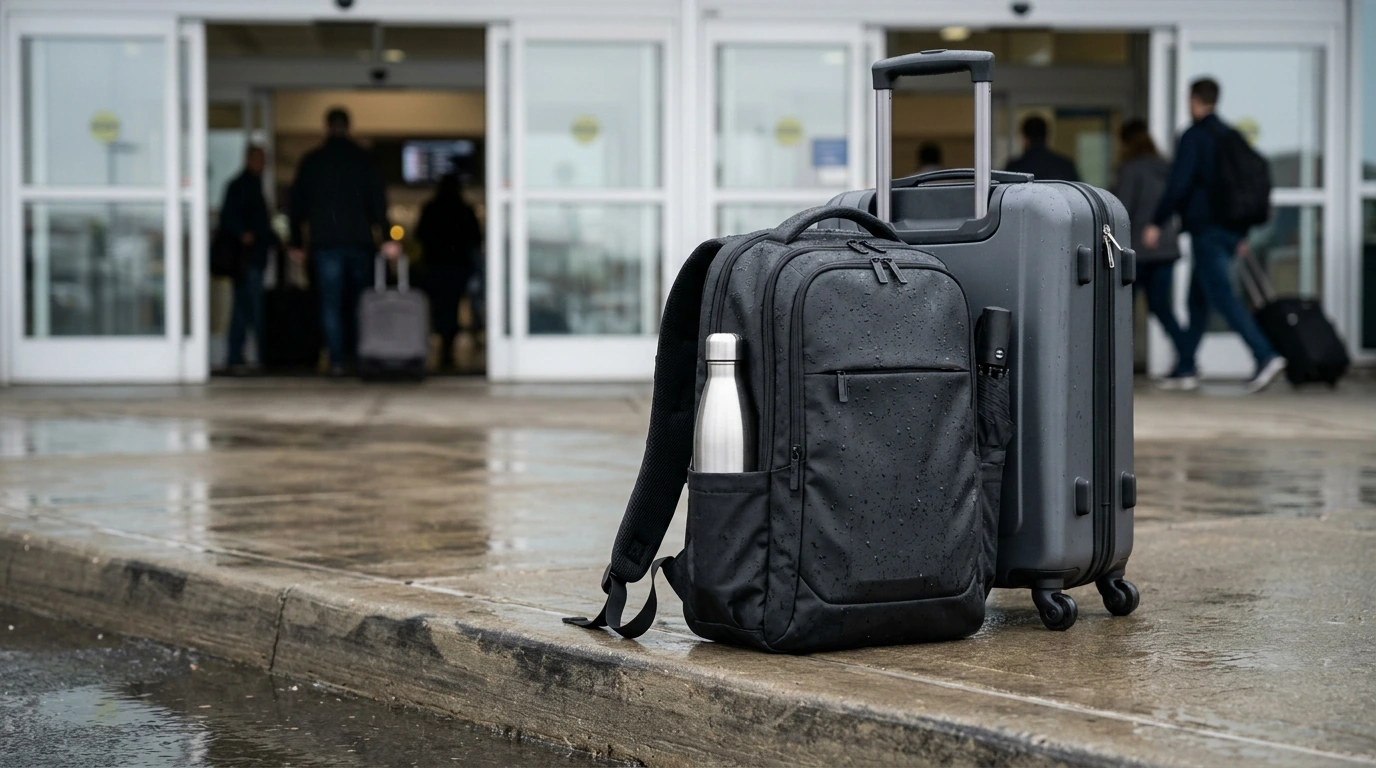
Waterproof 17 Inch Laptop Backpack for Men: Built for Work, Travel, and Rainy Commutes
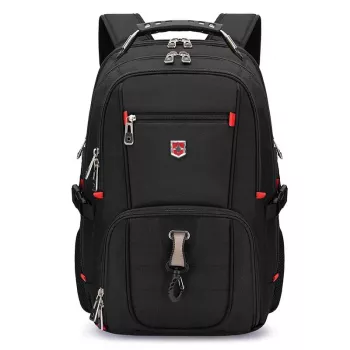
A dependable backpack for work travel needs to protect a larger laptop, keep documents and tech organized, and stay comfortable through commutes, airports, and long days. The Waterproof 17 Inch Laptop Backpack for Men – Large Capacity Travel & Business Bag is built around a roomy layout and business-ready organization, with weather resistance to help keep gear dry and a structured shape that looks appropriate in professional settings.
What This Backpack Is Designed For
- Fits a 17-inch laptop for office carry, client visits, and hybrid work schedules.
- Large-capacity packing for 1–3 day trips, conferences, and short business travel.
- Waterproof exterior helps shield electronics and paperwork during rain, splashes, and wet commutes.
- Balanced look for business environments while still functioning as a travel bag.
Key Features That Matter Day to Day
When a backpack is doing double duty—office during the week and transit on the weekend—small design choices make a big difference.
- Laptop protection: a dedicated laptop area helps reduce shifting and keeps the computer from bumping into chargers, keys, and other hard items.
- Organization: multiple compartments simplify carry for chargers, mouse, power bank, stationery, and small essentials so they don’t disappear into the main cavity.
- Quick-access storage: exterior pockets keep grab-and-go items (keys, badge, phone, transit card) available without opening the main section.
- Travel-friendly capacity: space for a light jacket, notebook, water bottle, and a compact toiletry pouch supports full-day schedules and short trips.
- Water resistance: waterproof materials help prevent moisture from soaking into the main compartment during sudden showers.
If you’re comparing weather protection across bags, it’s useful to understand how protection levels are described (for example, “IP ratings” for electronics). While bags aren’t typically rated the same way, the overview from IBM’s explanation of IP ratings (Ingress Protection) helps clarify the difference between resisting splashes and being fully sealed.
Capacity and Packing Guide for Travel and Work
A large-capacity business backpack works best when it’s packed with balance in mind. The goal is to keep heavy gear stable while still making the essentials easy to reach.
Work carry example
- 17-inch laptop
- Charger + cable
- Notebook or slim folder
- Headphones/earbuds for calls
- Lunch and a light jacket
Overnight trip example
- Laptop + compact tech kit
- Change of clothes
- Toiletry pouch
- Documents
- Compact umbrella
Business flight example
- Laptop + tablet
- Travel documents
- Cables and adapters
- Snacks
- Power bank kept within easy reach
Packing tip: place heavier items (laptop, power bank) close to the back panel for better balance and comfort. For air travel, keep batteries and power banks in your carry-on and follow current airline/security guidelines; the TSA guidance on traveling with batteries is a practical reference before you fly.
Comfort, Fit, and Commute Practicalities
- Back and shoulder comfort: supportive padding helps reduce pressure during longer walks, station transfers, and terminal connections.
- Load management: keep frequently used items in the top or outer compartments so you don’t have to repeatedly unpack the full bag.
- Professional carry: structured packing prevents bulging and keeps the silhouette tidy for meetings, lobbies, and shared workspaces.
- Care routine: wipe down after rain exposure and allow the bag to air-dry fully before storing to help maintain the finish and prevent trapped moisture.
Feature Checklist at a Glance
Use the checklist below to match everyday needs (office, gym, short trips) with the features that most directly improve convenience and protection. Prioritize laptop protection and water resistance first, then capacity and pocket layout based on typical carry.
| Need | Why It Matters | What to Look For |
|---|---|---|
| 17-inch laptop carry | Prevents tight fits and corner pressure on larger devices | Dedicated padded laptop compartment sized for 17-inch |
| Rainy commute protection | Helps keep electronics and documents dry | Waterproof exterior materials and covered zippers/closures |
| Conference/overnight capacity | Fits extras without overstuffing | Large main compartment plus secondary organizer section |
| Fast airport/security access | Reduces delays and fumbling for documents | Quick-access pockets for passport, tickets, and small tech |
| All-day comfort | Less strain during long walks and transfers | Supportive straps and padded back panel; balanced weight distribution |
Who This Bag Suits Best
Product Details and Where to Get It
If your daily carry includes a larger laptop and you’d rather not juggle separate office and travel bags, the Waterproof 17 Inch Laptop Backpack for Men – Large Capacity Travel & Business Bag is a straightforward solution: roomy, organized, and built to handle wet commutes while still looking professional. It’s currently in stock.
For calls on the move—commuting, airport gates, or hotel lobbies—pairing the bag with compact audio can keep your pockets clear and your essentials together. The HiFi Dynamic Driver Earbuds are also in stock and easy to pack in a quick-access pocket.
FAQ
Will a 17-inch laptop fit comfortably, or will it be a tight squeeze?
This bag is designed for 17-inch laptops and uses a dedicated compartment to reduce pressure and shifting. For the best fit, compare your laptop’s dimensions (especially thickness) and allow extra space if you use a sleeve.
Is waterproof the same as fully submersible protection?
No—waterproof materials are intended to resist rain and splashes during commutes, not full submersion. After heavy rain exposure, wipe the exterior down and let the backpack air-dry before storing.
How should a large-capacity business backpack be packed for comfort?
Place the laptop and other heavy items closest to the back panel to keep weight centered and stable. Keep frequently used items in outer pockets and avoid overloading so the bag stays balanced and comfortable.







Leave a comment